

 English
  Türkçe
 Polski
 Українська
 Deutsch
 Română
 Português
 Svenska
 Русский
 Español
 ไทย
ไทย 日本語
日本語


Best Crosshair Settings in CS2
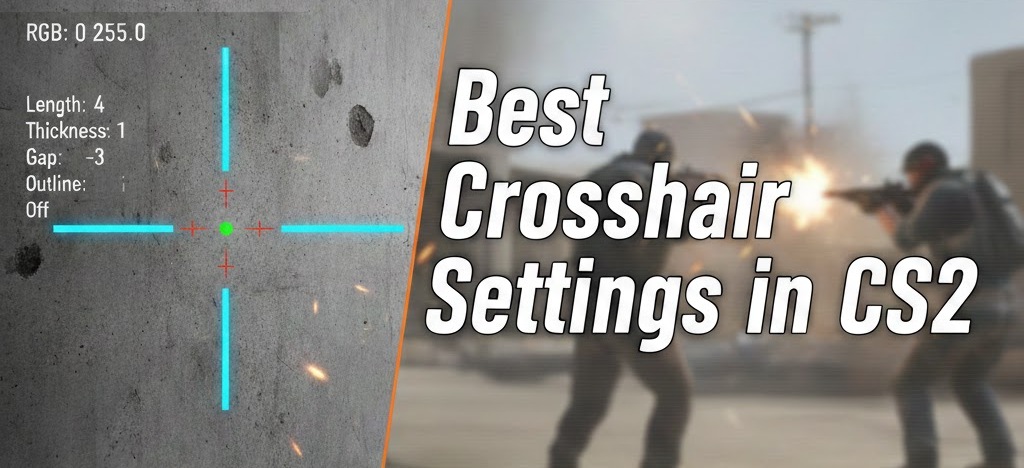
In CS2, the crosshair is something players look at every second of a match, even if they rarely think about it. It’s the reference point for every shot, every spray adjustment, and every quick flick. If it’s hard to see, too big, or visually distracting, aim becomes less consistent for reasons that have nothing to do with mechanics.
CS2 doesn’t look exactly like CS:GO. Lighting, contrast, and overall image clarity work a bit differently, and that changes how CS2 crosshairs appear on screen. Settings that felt clear and comfortable in CS:GO can end up looking washed out or too sharp in CS2, which is why many players need to tweak their old setups instead of copying them as-is.
There isn’t a single CS2 pro crosshair that works for everyone. For many players, CS2 is also part of a broader ecosystem that goes beyond matchmaking, including skins, tournaments, and various cs2 gambling sites, where visual clarity and consistency can still play an important role. Screen resolution, monitor settings, and simple visual comfort all matter. The goal is to end up with a crosshair that stays easy to read in real matches and helps keep aiming stable, not to chase some universal “best” preset.
How to Choose the Best CS2 Crosshair for Your Playstyle
In CS2, the crosshair is always in view, so any small problem with it turns into a constant annoyance. If it blends into the map, feels too large, or moves in a way that is hard to track, aiming becomes less reliable over time. That kind of inconsistency usually shows up first in close fights, quick peeks, or spray control, where there is no time to “re-find” the center of the screen.
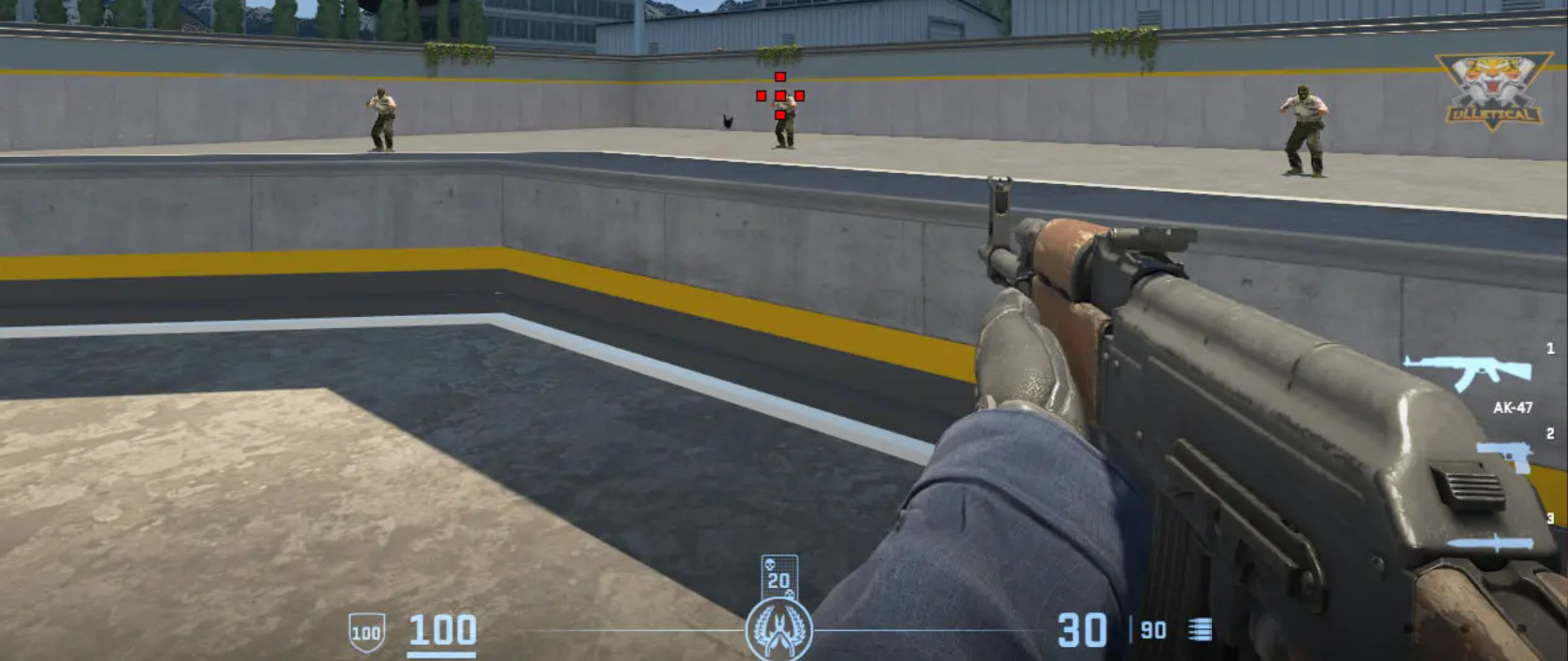
This is why copying someone else’s preset rarely works as well as expected. A crosshair that feels fine on another setup can behave very differently depending on resolution, brightness, and how the player moves and shoots. Instead of starting with a preset, it is more useful to pay attention to how the crosshair behaves in real rounds: while clearing angles, while spraying, and while taking fast duels. The right settings are the ones that stay readable and predictable in those moments.
Visibility and Clarity
Visibility is the first thing that matters. If the crosshair is hard to see, everything else becomes secondary. In CS2, maps have more varied lighting and stronger contrast than before, so a color or thickness that works in one area can become hard to spot in another. A practical crosshair should:
- Be easy to see on most maps and backgrounds
- Stay visible in both bright and dark areas
- Keep a clear and easy-to-read center point
- Avoid extra lines, gaps, or shapes that add clutter
- Remain readable when moving, shooting, or taking damage
Simplicity helps more than most people expect. The more complex the shape, the more effort it takes to read it during fast situations. A clean crosshair makes it easier to focus on the target instead of on the shape in the middle of the screen. How it looks in the settings menu does not matter much; what matters is whether it stays clear when the screen is full of movement, effects, and player models.
Precision vs Comfort
Crosshair behavior changes how stable aiming feels. Some players prefer a crosshair that never moves, while others like getting visual feedback about movement and shooting. Neither approach is strictly better, but they lead to different experiences in fights. These are the main things that usually affect this balance:
- Static CS2 pro crosshairs always keep the same shape and size
- Dynamic crosshair CS2 expand or move when running and firing
- Follow recoil shifts the crosshair based on the spray pattern
- More movement can provide feedback but also adds visual noise
- A calmer, more stable image often makes precise shots easier to place
Dynamic elements can be useful when learning how movement and recoil affect accuracy, but in real matches they can also pull attention away from the target. Some players find that a moving crosshair helps them control sprays, while others aim better when the center of the screen stays completely stable. The important part is how easy it is to keep track of the center point when things get hectic.
Playstyle Considerations
The way a player approaches fights should influence crosshair settings more than any trend or popular setup. Different roles and habits create different needs on screen. In practice, this usually means:
- Riflers need a clear reference for bursts, taps, and spray control
- AWP players focus more on clean alignment for single, precise shots
- Aggressive play benefits from strong visibility during fast movement and peeks
- More controlled play often works better with smaller, simpler shapes
- The crosshair should support how fights are taken, not how it looks in isolation
Someone who takes a lot of close-range duels and wide swings will usually need a crosshair that stays easy to see while moving. Someone who holds angles and plays slower can often use a cleaner, less noticeable setup that keeps the screen less cluttered. In both cases, the goal is the same: a crosshair that stays readable in real rounds and helps keep aiming consistent without getting in the way.
CS2 Crosshair Settings Explained
CS2 has a lot of crosshair options, and changing them one by one without a plan usually leads to a setup that feels off in some way. The settings make more sense when they are looked at in groups. Some decide how the crosshair is shaped, some decide how easy it is to see, and others change how it reacts when moving or shooting. Thinking about them this way makes it easier to build something that stays readable in real rounds.
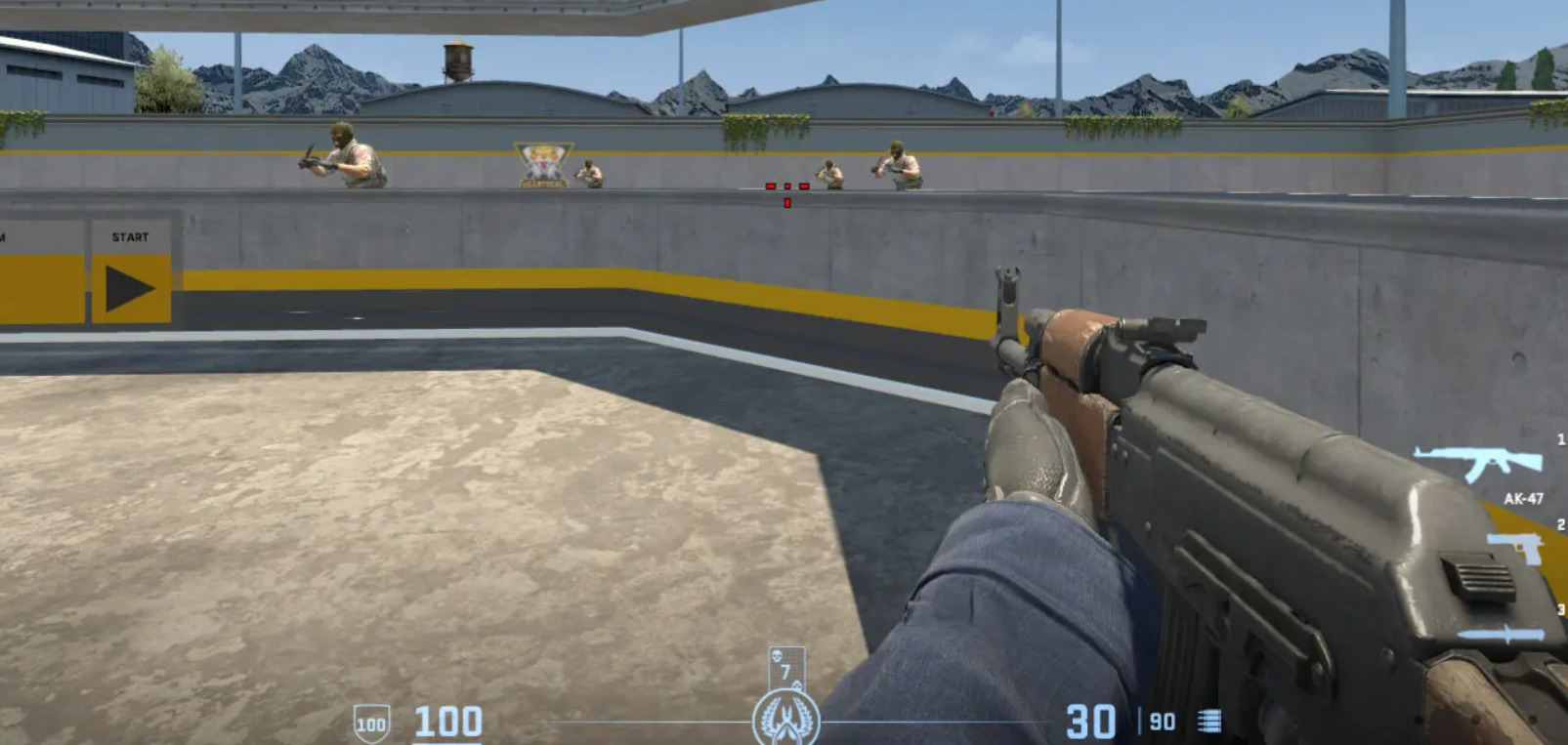
A useful crosshair should be easy to find at a glance, should not block the target, and should not pull attention away from the center of the screen. Every setting exists to adjust one of those points.
Shape, Size, and Gap
These options control what the crosshair actually looks like in the middle of the screen and how much space it takes up. Even small changes here can make the crosshair feel either clean and focused or crowded and distracting. The main things to pay attention to are:
- Length, which sets how far the lines reach and how large the crosshair feels
- Thickness, which decides how bold the lines look and how easy they are to notice
- Gap, which controls how close the lines sit to the center point
- Smaller setups, which keep the view clear but can be harder to follow in fast fights
- Larger setups, which are easier to spot but can cover more of the target
- The deployed weapon gap option, which changes how the gap behaves when a weapon is out and helps keep the crosshair feeling consistent
- The overall balance between visibility and how much screen space the crosshair uses
The goal here is simple: the crosshair should be easy to read without getting in the way of what needs to be seen.
Color, Alpha, and Outline
This group is all about whether the crosshair stands out from the map. CS2 maps use different lighting and surface colors, so a crosshair that looks fine in one place can be hard to see in another. What usually makes the biggest difference:
- Preset colors, which are quick to use and work well in most situations
- RGB colors, which allow more precise tuning when presets do not stand out enough
- Alpha, which controls how transparent the crosshair is
- A solid, opaque crosshair, which is easier to track but can hide small details behind it
- A more transparent crosshair, which looks cleaner but can disappear on bright or busy backgrounds
- The outline, which adds a border to improve contrast
- A thicker outline, which makes the crosshair easier to see but also more noticeable
- A thinner or disabled outline, which keeps things clean but relies more on good color choice
- The need for the crosshair to stay visible across different maps and lighting conditions
Dynamic and Additional Options
These options change how the crosshair behaves while playing. They decide how much it moves, how much feedback it gives, and how stable the center of the screen feels during fights. The most important ones are:
- Follow recoil, which moves the crosshair with the spray pattern and shows where shots are going
- More movement, which can help show what the weapon is doing but can also make aiming feel less steady
- More static behavior, which keeps the aiming point stable and easier to track
- The friendly fire reticle warning, which changes the crosshair when aiming at a teammate
- T-style crosshairs, which remove the top line and keep the space above the center point more open
- Classic crosshairs, which keep all four lines for a familiar, symmetrical shape
- Show player best CS2 crosshair, which lets players see other setups while spectating
- How all of this affects clarity during peeks, sprays, and quick fights
These settings decide whether the crosshair feels calm and predictable or busy and reactive. The right setup is the one that keeps the aiming point easy to follow when the round gets fast and messy.
CS2 Crosshair Codes (As Reference Examples)
Best CSGO crosshair settings are useful mostly as examples, not as ready-made answers. When looking at what top players use, one thing becomes obvious very quickly: most of their crosshairs are small, simple, and calm on the screen.
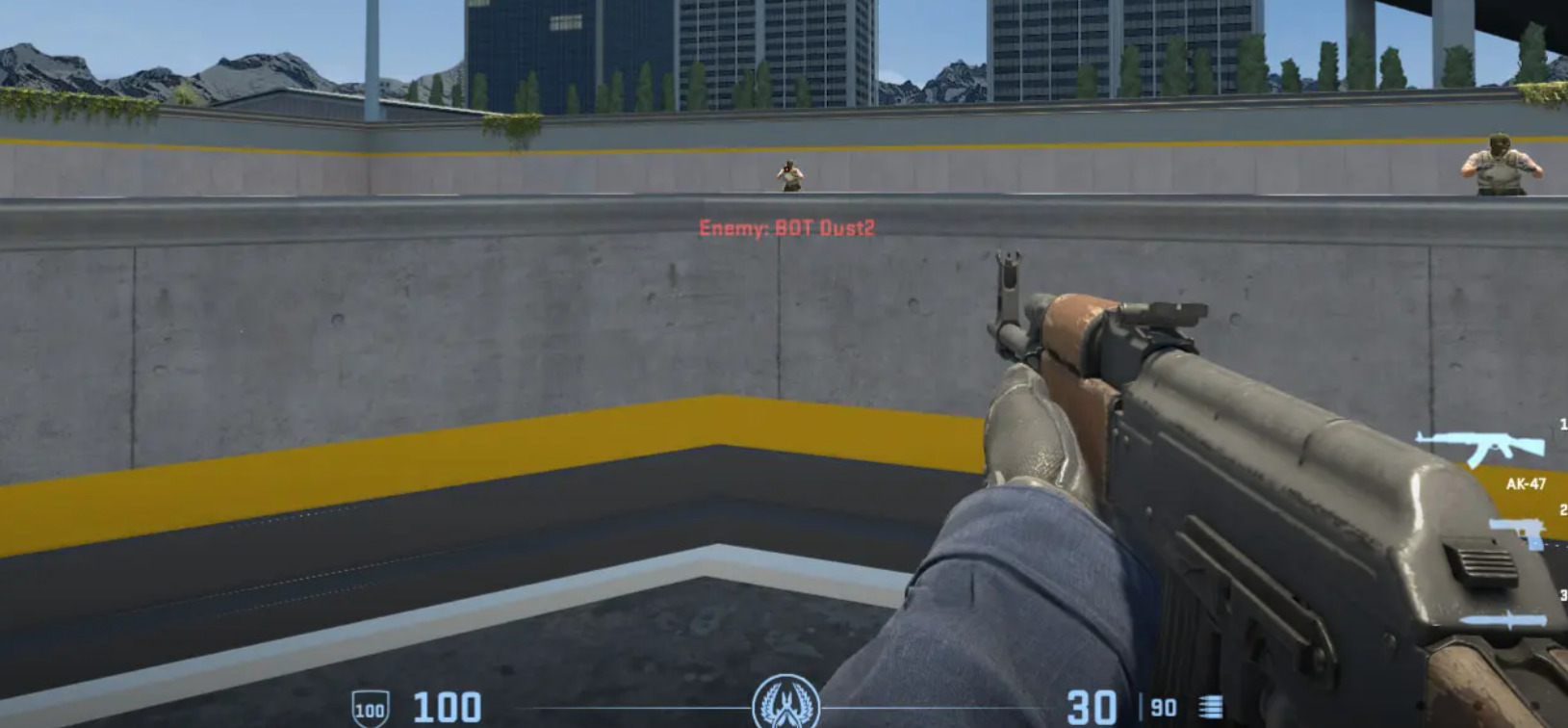
That is about keeping the center of the screen easy to read when fights get fast. Minimal crosshairs are common in pro play for practical reasons:
- They are quick to read when aiming
- They do not clutter the center of the screen
- They cover less of the target model
- They stay predictable during movement and spraying
- They work on most maps and in different lighting
It is also important to be clear about one thing: copying a pro player’s crosshair does not automatically make aiming better. CSGO best crosshair settings are built around specific habits, setups, and comfort levels. What feels perfect for one player can feel awkward or unclear for another. The real value of these examples is to show what kind of direction most pros take and use that as a base for adjustments.
Examples of Pro Player CSGO Crosshair Codes
- s1mple: Uses a very small and clean crosshair with a strong focus on the center point, crosshair code: CSGO-MQfzY-jnHyz-Whzv3-USwcf-2pFKO

- ZywOo: Uses a compact and stable crosshair that stays easy to track, crosshair code: CSGO-s5Qbj-nvF89-cJjDd-mRdSG-5Yt4N

- NiKo: Prefers a precise and minimal crosshair that keeps the view clear, crosshair code: CSGO-H5t8U-mYhin-q6uQZ-UVtvi-cV6uC

- m0NESY: Uses a small crosshair with an emphasis on clean alignment for shots, crosshair code: CSGO-Xu7jD-Q8hte-wC6jj-eYmth-mRFuA

- ropz: Known for very simple crosshair settings with almost no visual clutter, crosshair code: CSGO-nCfX7-54ue9-aC5eV-6Womf-Q6izO

- Twistzz: Uses a balanced and straightforward crosshair that stays readable at different ranges, crosshair code: CSGO-PoLcr-OH4iP-vThN5-Q2FCt-fnNkO

- XANTARES: Uses a clear and easy-to-see crosshair built for fast fights, crosshair code: CSGO-xbpe2-E24RJ-YXNuO-pQvt8-ppNAK

- donk: Uses a minimal setup focused on a stable and readable center, crosshair code: CSGO-jU4eP-8wSj8-EZVsB-HcJZs-iyNQC

- b1t: Uses a small and precise crosshair suited for controlled rifle play, crosshair code: CSGO-TpLLK-EJ5vT-aYEpF-VphTW-k8aYO

- jL: Uses a clean and practical crosshair that stays easy to read in fights, crosshair code: CSGO-Mxeyh-vRNcz-xxyBf-WOMbM-DqmHB

Common Patterns in the Best CS2 Crosshair Settings
When different high-level crosshair setups are put side by side, the exact numbers and values often change, but the general idea stays the same. Most of these setups try to solve a simple problem: keep the aiming point easy to see, keep the center of the screen clean, and avoid anything that behaves in a surprising way during fights. The same features show up in many strong setups:
- Small or medium size that does not cover much of the target
- Simple shapes without extra parts that add clutter
- Colors that stand out on most maps
- A clear and easy-to-read center point
- Little or no movement in the crosshair itself
- A stable look that does not change during shooting
- Careful use of outline or thickness for visibility
- The same behavior while standing, moving, and firing
These choices are mostly about reducing distractions. A crosshair that stays simple is faster to read. One that does not shift or change shape is easier to trust in quick fights. And one that keeps good contrast is less likely to disappear against walls, smokes, or bright areas. The reasons these patterns work are practical:
- Less clutter makes targets easier to track
- Better contrast keeps the crosshair visible in more situations
- A stable shape makes shot placement more predictable
- Consistent behavior supports repeatable aim
- A smaller crosshair blocks less of the target
- A clear shape reduces the time needed to line up a shot
Minimalism, contrast, and consistency keep showing up in CS2 crosshair setups because they make the aiming reference easier to use when things get fast and messy in real rounds.
How to Import CS2 Crosshair Codes
CS2 makes it easy to use a crosshair code without digging through CS2 crosshair settings by hand. The import option applies a full setup in one go, which is useful when testing different crosshairs or starting from a known configuration.
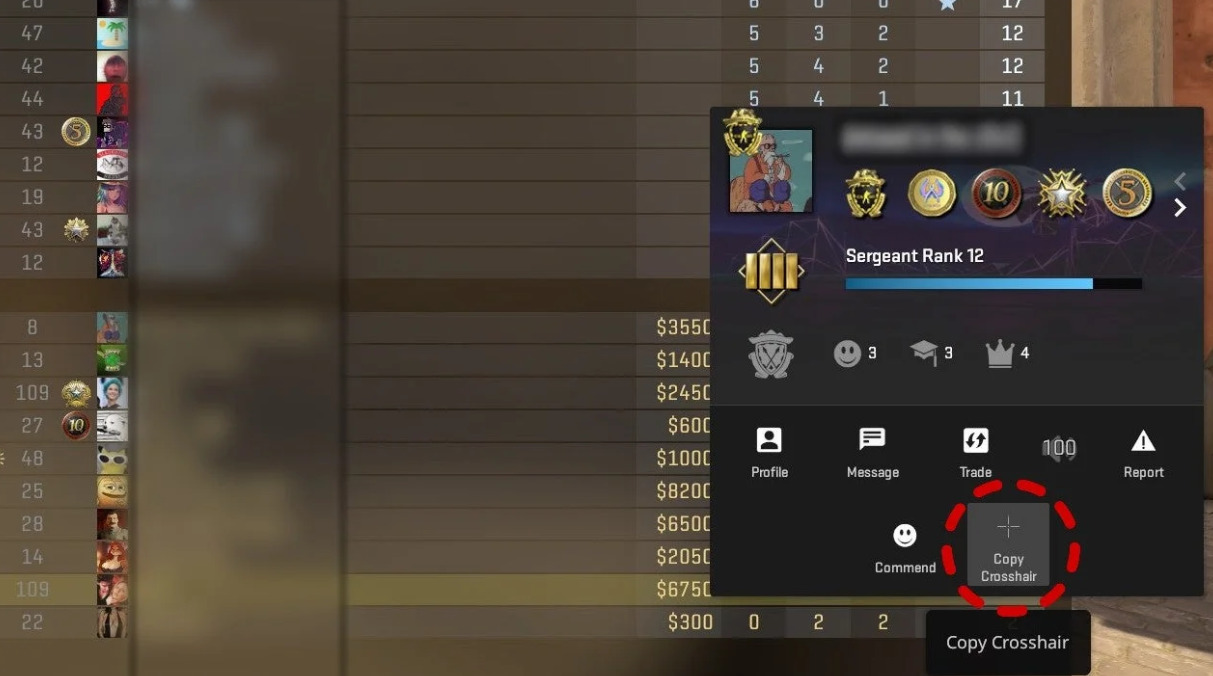
The process inside the game is simple:
- Open the settings menu
- Go to the CS2 crosshair section
- Find the import option
- Paste the CS2 crosshair code into the field
- Confirm and apply the changes
- Load into a match or practice area to check how it looks
After importing, the crosshair is treated like any other setup and can be adjusted normally. It is worth checking how it looks while moving, shooting, and aiming at different surfaces, since best crosshair CS2 that looks fine in the menu can behave differently in actual play.
How to Customize Your CS2 Crosshair Settings
Adjusting CS 2 crosshair works best when it is done step by step. Small changes are easier to understand and easier to evaluate.
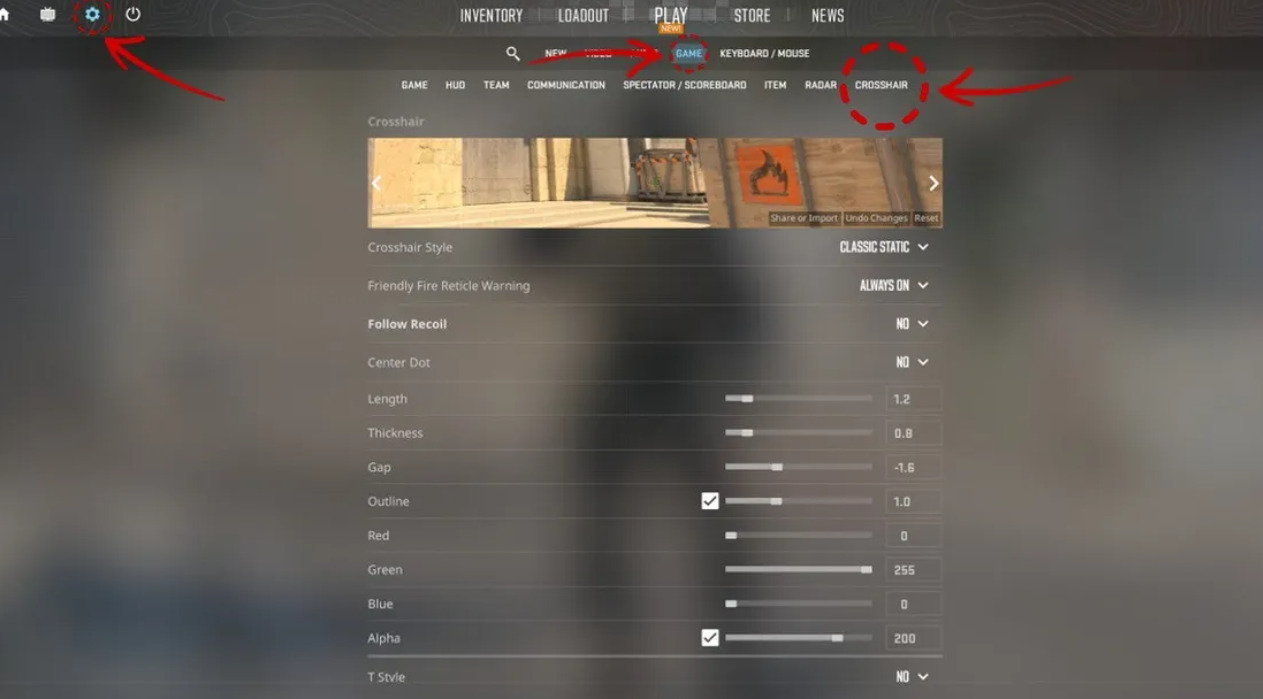
When several settings are changed at once, it becomes unclear which change helped and which one made things worse. A simple and practical way to handle customization is:
- Start from a setup that already feels usable
- Change only one setting at a time
- Play a few rounds with that change
- Pay attention to visibility during movement and shooting
- Check whether the crosshair stays clear on different maps and backgrounds
- Keep changes that improve clarity and undo those that do not
- Avoid changing settings again too quickly
Consistency matters more than constant tweaking. Even CSGO 2 best crosshair needs time to feel familiar, and frequent changes make it harder to build stable aim habits. The goal is to settle on a setup that stays clear and predictable in real matches, not to keep adjusting it every time something feels slightly off.
CS2 Crosshair Summary
In CS2, the crosshair is always on screen, so its settings matter more than they might seem at first. If it is hard to see, too busy, or keeps changing in ways that are hard to track, aiming becomes less consistent. There is no single setup that works for everyone, because screens, visual settings, and comfort levels are different. Still, most solid setups end up following the same ideas: they stay simple, they stand out from the background, and they behave in a predictable way. Pro crosshair codes are useful mainly to show these patterns, not as guaranteed fixes. Importing and testing different setups can speed things up, but the real improvement usually comes from small, careful changes and from sticking with one setup long enough to understand how it actually performs in matches.
Conclusion about CS2 Crosshairs
The best CS2 crosshair is the one that fits the player’s own eyes and the way they play. Knowing what each setting does makes it easier to adjust things with a clear goal instead of guessing. Taking time to test changes and avoiding constant tweaks helps settle on a setup that stays clear and reliable in real games, rather than one that needs to be changed every session.