

 English
  Türkçe
 Polski
 Українська
 Deutsch
 Română
 Português
 Svenska
 Русский
 Español
 ไทย
ไทย 日本語
日本語


CS2 Workshop Maps
CS2 Workshop Maps are custom maps made by other players and shared through the Steam Workshop. You download them separately and launch them outside of regular matchmaking. They’re not required to play CS2, but a huge part of the community uses them anyway.
The reason is simple: they’re practical. If you want to warm up quickly, practice something specific, or mess around with friends without committing to a full match, workshop maps do the job better than official modes. That’s why CS2 workshop maps have become a normal part of how many people play, even if Valve never forces you to touch them.
They don’t give XP, ranks, or rewards. What they give is control over scenarios, pacing, and what exactly you’re working on.
When and Why Players Use Workshop Maps in CS2
Most players don’t open workshop maps randomly. They use them with a purpose. A common one is warming up before competitive games. Instead of going cold into matchmaking, players spend a few minutes shooting bots, adjusting sensitivity, and getting their hands ready.
Another big use case is focused practice. If someone wants to improve raw aim, recoil control, or tracking, CS2 aim training workshop maps make that process faster. You repeat the same action hundreds of times without interruptions, teammates, or round timers getting in the way.
Workshop maps are also popular when players want a break from ranked stress. Playing casually with friends, testing settings, or just doing something different helps avoid burnout. Over time, people usually settle on a small rotation they trust, what they personally consider the best CS2 workshop maps for warm-up, training, or casual play.
They’re easy to fit into any routine. Five minutes between matches, a longer solo practice session, or a relaxed evening with friends, workshop maps slide in wherever matchmaking feels like too much.
What CS2 Workshop Maps Are and How They Differ From Official Maps
Workshop maps are made by players, not by Valve, and that shapes everything about how they’re used. They exist outside the ranked ecosystem and aren’t meant to follow competitive rules or balance standards.
- Purpose is different: Official maps are designed for structured matches with clear objectives. CS2 workshop maps are usually built around a specific idea: practice, testing, or casual play.
- No pressure, no progression: You don’t gain rank, XP, or stats. That’s exactly why people use workshop maps CS2 when they want to focus on mechanics or just play without consequences.
- More freedom: Map creators aren’t limited by competitive guidelines. That leads to unusual layouts, experimental concepts, and tools that would never fit into matchmaking.
How the Steam Workshop Works With CS2
The Steam Workshop is basically a shared library where players upload and download custom content. CS2 doesn’t manage these maps itself; Steam does the heavy lifting in the background:
| Part | What it does |
|---|---|
| Steam Workshop | Hosts and distributes maps |
| Subscription | Tells Steam which maps you want |
| Automatic updates | Keeps maps up to date without manual downloads |
| CS2 | Loads whatever you’re subscribed to |
From the player’s point of view, Steam Workshop maps CS2 are simple: you subscribe once, and Steam handles everything else, which is the core idea behind how to get workshop maps in CS2.
As for how to play workshop maps CS2, it’s less about clicking the right button and more about understanding the flow. These maps live outside matchmaking, load independently, and don’t affect your competitive record. You choose when to use them and for what purpose, and that separation is intentional. It lets the workshop ecosystem grow without interfering with the core CS2 experience.
Playing CS2 Workshop Maps With Friends
For a lot of players, workshop maps are where CS2 becomes more relaxed and social. Private sessions with friends feel very different from matchmaking: there’s less pressure, more talking, and way more freedom to switch things up. You’re not chasing a win screen, you’re just playing together.
That’s why people often ask whether you can play workshop maps with friends in CS2. These are one of the easiest ways to turn CS2 into a shared hangout instead of a competitive grind.
Why Groups Prefer Workshop Maps
Ranked modes are built around structure and balance, which doesn’t always work when friends have different skill levels or limited time. Workshop maps remove most of those constraints. Friends usually choose workshop maps because they:
- Want to warm up together before real matches
- Don’t want to commit to a full-length game
- Prefer flexible rules and pacing
- Want to include players of different skill levels
Aim-based sessions are especially common. Groups often jump into CS2 aim workshop maps just to get loose, test settings, and talk while shooting targets.
Some players look for the best aim workshop maps CS2 to keep things competitive but fair, especially for short duels or rotations. Others want everyone practicing at the same time, which is why CS2 aims training maps on Steam Workshop are popular for group warm-ups instead of taking turns.
Competitive vs Cooperative Group Play
How a group uses workshop maps usually depends on the mood. Some sessions are competitive, others are purely casual. Competitive-style sessions usually include:
- 1v1 or small-team aim duels
- Simple scoring or win conditions
- Short rounds with frequent resets
These setups create friendly rivalry without the stress of ranked play. Cooperative sessions tend to look more like:
- Practicing mechanics together
- Exploring maps at a relaxed pace
- Playing modes where winning isn’t the focus
This is where CS2 fun workshop maps come into play. They’re designed to keep everyone involved rather than measure performance. Players often recommend fun workshop maps in CS2 when the group just wants to laugh, experiment, or cool off after intense matches. Over time, most friend groups end up with a short list they rotate through, often inspired by collections of best CS2 workshop maps for fun rather than competitive rankings.
How Friends Usually Play Together on Workshop Maps
Workshop sessions with friends are rarely formal or rigid. Most groups keep things simple and adjust on the fly. A typical setup looks like this:
- One player hosts a private session
- Friends join directly through Steam
- The group agrees on basic rules if needed
- Maps are switched based on mood or time
That’s why questions like how to play workshop maps with friends in CS2 come up naturally in conversation. Players usually figure it out by playing rather than following strict instructions, and once everyone understands the goal of the session, the rest falls into place
Workshop Maps for Utility and Smoke Practice
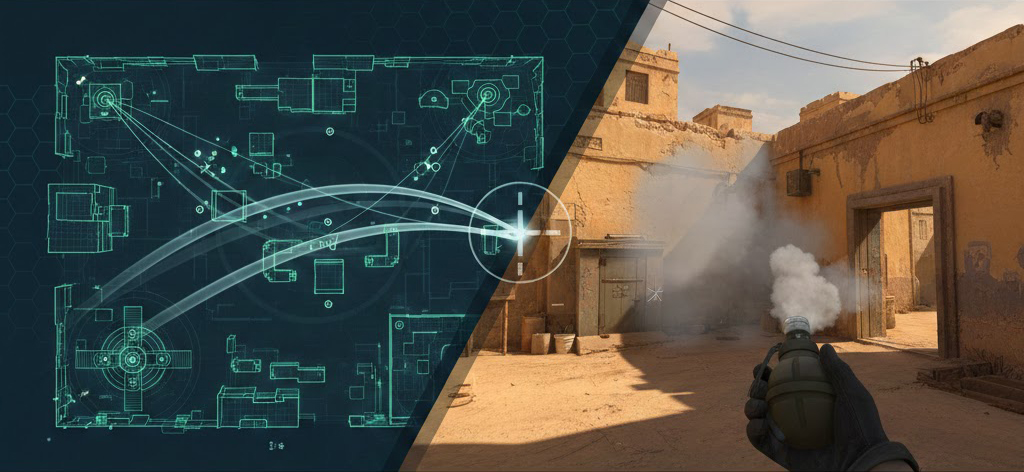
Utility is one of those things most players know they should practice, but rarely do in real matches. Live games move fast, rounds are limited, and messing up a smoke usually means someone else pays for it. Workshop maps fix that by giving players a slower, more forgiving space to figure things out.
A lot of people stumble into this side of the workshop while browsing fun CS2 workshop maps, then realize there’s a whole set of maps built purely for learning grenades. These maps aren’t flashy, but they’re incredibly useful.
Why Players Use Workshop Maps for Utility Practice
Workshop maps take pressure off the equation. Instead of guessing and hoping for the best, players can actually see what their grenades are doing. Most players use utility-focused maps because they:
- Can throw the same grenade over and over without waiting for a new round
- See exactly where grenades land and how they behave
- Make small adjustments and immediately compare results
- Practice alone or talk things through with friends
This kind of setup works especially well in CS2 workshop maps with friends, where one person throws utility while others watch, comment, and test alternatives.
Why This Feels Different From Practicing in Matches
Practicing utility in live games is reactive. You throw something, it fails, and the round moves on. Workshop maps slow everything down and make learning intentional. Compared to live matches, workshop practice gives you:
- Time to focus on one grenade instead of a whole round
- Instant resets after mistakes
- Freedom to experiment without ruining anyone’s game
- A clearer understanding of cause and effect
Some groups mix these sessions with short competitive breaks, switching between utility drills and CS2 1v1 workshop maps to keep things from getting dull. Others like to change the pace by jumping into the CS2 surf maps workshop between practice runs, especially during longer sessions.
Smoke-Focused Workshop Maps
Smokes are usually the hardest utility to learn because tiny differences in position or aim can change everything. Smoke-specific maps exist to isolate that problem. On CS2 smoke workshop maps, players usually focus on:
- Watching how smokes expand and block vision
- Testing consistency across repeated throws
- Understanding how distance and angle affect coverage
Managing Workshop Maps Over Time
At the beginning, workshop maps feel harmless. You subscribe to a few, try them out, and move on. Then weeks pass, you’ve tested a bunch of fun maps, downloaded a couple of one-off ideas, and suddenly your workshop list is way longer than you expected.
That buildup is normal. Workshop content is designed to be easy to add, which also means it’s easy to forget about. Managing maps over time is mostly about keeping things tidy so the game stays comfortable to use.
Why Workshop Maps Pile Up
Most players don’t download maps with long-term plans. It’s usually a reaction to a moment. Maps tend to accumulate because:
- You try something once and never return to it
- Friends suggest content during group sessions
- You bounce between practice and casual play
- Older maps lose relevance after updates
This happens even faster when playing with friends, since everyone subscribes to the same maps for a session, then moves on.
Removing Maps Without Turning It Into a Project
Cleanup usually starts when the list feels messy. That’s when players search things like how to remove workshop maps CS2, even though the goal is just to unsubscribe from stuff they no longer use. A simple way most players approach it:
- Keep maps you still use
- Remove maps you haven’t touched in a while
- Be strict with maps you downloaded “just to test”
You don’t need to overthink it. If a map doesn’t serve a purpose anymore, it doesn’t need to stay.
When Things Start Acting Weird
A bloated workshop list can make the game feel less predictable. Maps might be harder to find, or things don’t show up the way you expect. That’s often when players start worrying about CS2 workshop maps not showing, even though the issue is usually just an overloaded list rather than a real problem.
Bots, Skins, and Comfort Tweaks
Once workshop maps become part of your routine, comfort starts to matter more than novelty. A common question is how to remove bots from CS2 workshop maps, especially when bots interfere with casual sessions or testing movement and utility. Another thing players care about is how to use my CS2 skins in workshop maps. Seeing your usual loadout helps everything feel consistent when switching between matchmaking and workshop play.
Organizing Maps by How You Actually Use Them
Most players don’t organize maps formally, but they do it mentally. They keep a few categories in mind. A typical setup looks like this:
- A small rotation for practice
- A few multiplayer maps for group sessions
- Some casual picks for downtime
Maps built around mini-games often get removed first. They’re fun once or twice, but don’t usually earn a permanent spot.
Final Thoughts about the Best CS2 Workshop Maps
Workshop maps have settled into CS2 as a quiet constant. They’re not mandatory, they don’t replace matchmaking, and they don’t promise instant improvement. What they do offer is flexibility, a way to shape your session around your time, mood, and goals. For some players, that means short solo practice. For others, it’s about shared sessions and figuring out how to play workshop maps with friends without pressure or structure getting in the way. Workshop maps make it easy to treat CS2 as a space to hang out, not just compete.
Over time, most groups build their own rotation. That’s why discussions around the best CS2 workshop maps with friends tend to be personal rather than universal. What works depends on who you’re playing with and what kind of session you want.
Some nights are about messing around. That’s where fun CS2 workshop maps with friends come in, offering light, low-stakes gameplay that keeps everyone involved regardless of skill level. Other sessions are lean and competitive, but still informal. Many players switch to CS2 fun workshop maps with friends when ranked feels like too much, but they still want something engaging.
Short, focused duels also have their place. CS2 1v1 maps workshops are a common choice when players want quick rounds, friendly rivalry, and clear feedback without committing to full matches. Because preferences differ, lists like best 1v1 workshop maps CS2 usually serve as starting points rather than definitive answers. Players adapt and refine their choices over time.
In the end, workshop maps work because they’re optional. They fit around the core CS2 experience instead of competing with it, giving players room to practice, experiment, or just play together on their own terms.
Workshop maps are just one part of the broader CS2 ecosystem. Many players also explore other ways to interact with skins, inventories, and community-driven platforms beyond the game itself. If you’re looking for trusted services connected to CS2 skins and gambling, check out our detailed guide to the best CS2 gambling sites, where we review reliable platforms, bonuses, and features in one place.
FAQ
Can workshop maps replace regular matches?
No. Workshop maps are a supplement, not a replacement. Players use 1v1 maps or practice-focused content to warm up or isolate mechanics, then return to matchmaking for full games.
Are workshop maps only useful for aim training?
Not at all. While aim is a common use case, many players rely on surf maps for learning movement and air control. Others focus on movement practice to feel more consistent during real matches.
Do workshop maps help with utility?
Yes, but in a limited way. Workshop environments are useful for smoke practice and understanding how grenades behave. They also support basic grenade training, though timing and real-match context still come from live games.
Why do workshop maps sometimes behave strangely?
Because they’re community-made, small workshop issues are normal. Things like missing settings or unexpected defaults usually aren’t bugs, just design choices made by map creators.
Do I need a special setup to play workshop maps?
In most cases, no. Players usually load maps locally without thinking about infrastructure. A local server setup only becomes relevant when hosting private sessions or testing specific scenarios.
Are there recommended maps for quick duels?
Many players look for the best CS2 1v1 workshop maps when they want short, focused fights. These maps are popular because they provide fast feedback without the commitment of full matches.