



 English
  Türkçe
 Polski
 Українська
 Deutsch
 Română
 Português
 Svenska
 Русский
 Español
 ไทย
ไทย 日本語
日本語


How to Open Console in CS2
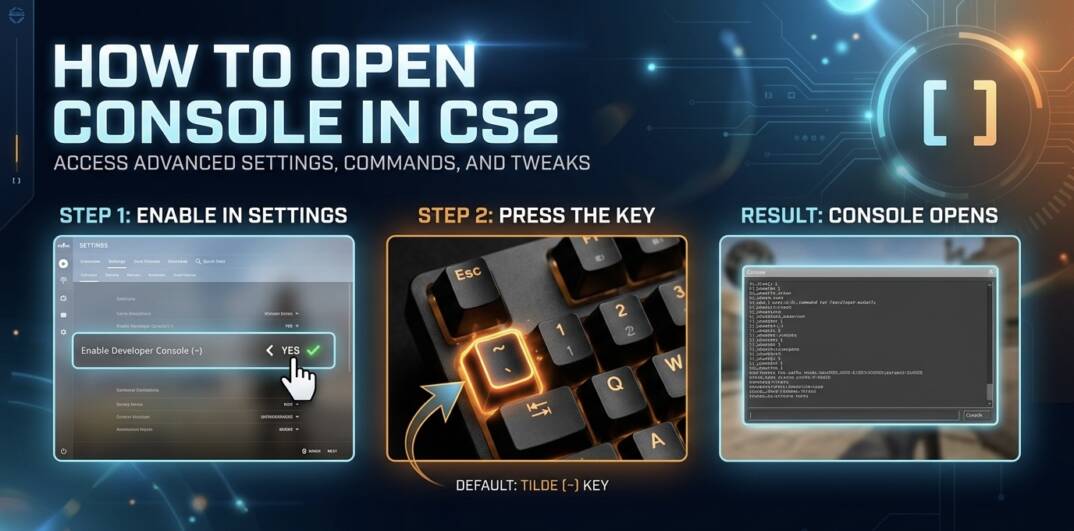
The developer console in Counter-Strike 2 lets you control the game using commands. It lets you type in commands to fine-tune settings, load configs, or set up practice scenarios exactly how you want them. Most players learn how to open console in CS2 to use commands like jump binds or FPS tweaks. You’ll need to enable it in the settings first, but after that, popping it open takes a second.
How to Enable Console in CS2
Before you can use the console, you need to enable it in the settings. This is the first step if you’re learning how to open up console in CS2. It only takes a few clicks and you’ll be good to go.
Open Game Settings
Launch the game and look for the settings icon (the small gear) on the main menu. Click it to open the settings menu, where you can adjust different parts of the game.
Enable Developer Console
Inside the settings menu, switch to the Game tab. Scroll until you find “Enable Developer Console (~)” and set it to Yes. Once that’s done, the console is enabled and ready to use.
How to Open Console in CS2 In-Game
Once the console is enabled, actually opening it in-game is very straightforward and only takes a single key press.
Press the Console Key
By default, the console is opened using the **~ (tilde)** key. It’s usually located just under the ESC key on your keyboard. Pressing it will instantly bring up the console overlay on your screen.
Change the Console Key (Optional)
If the default key doesn’t work for you, you can change it in the settings by rebinding the console key to something else.
What You Can Do with the Console
The console is mainly used to type in commands that change how the game behaves. Once you know how to open the console in CS2, you can adjust settings like sensitivity or FPS limits, run practice configs for things like grenade training, or quickly test different setups without digging through menus.
Opening the Console in CS2 Made Simple
To open console in CS2, you just need to enable it in the settings and press the assigned key in-game. Once it’s set up, the console gives you quick access to commands, settings, and custom configs, making it a useful tool for improving your gameplay. For players who also explore other types of online gaming, it can be useful to keep track of available offers and bonuses in one place.